Audio Transcription Systems
Please Note: This Product has been discontinued
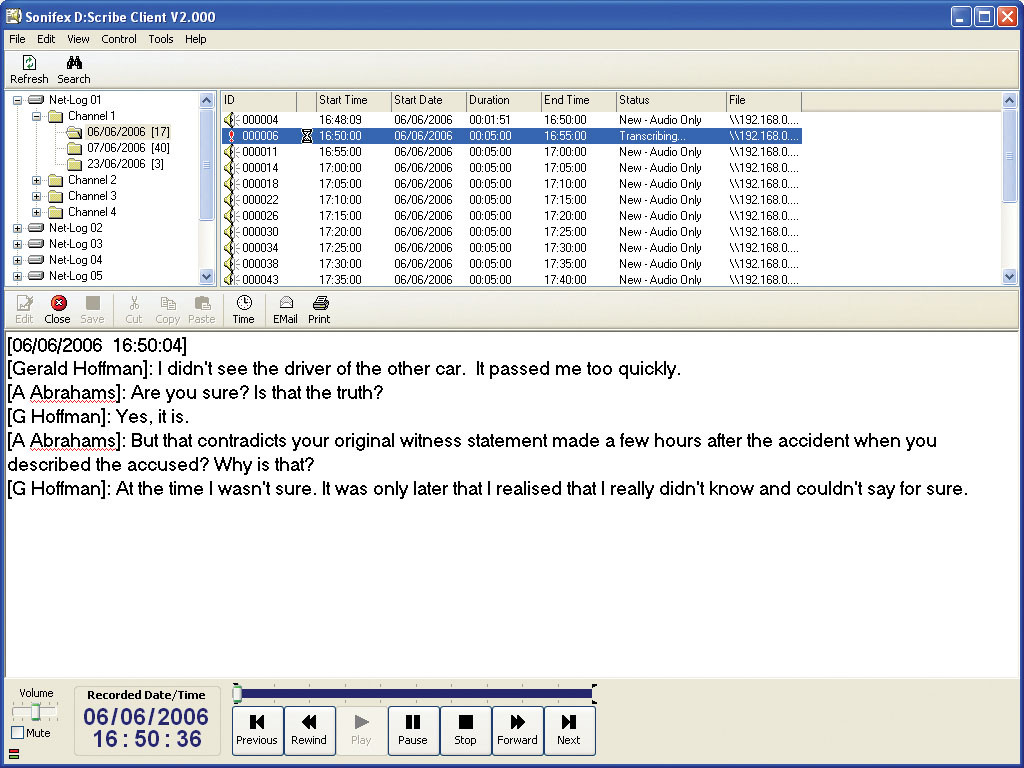
D:Scribe Control Screen.
D:Scribe Client & Server

The D:Scribe transcription systems consist of two products - D:Scribe Standalone is a package of PC transcription software together with a 3 pedal foot-controller, for simple, fast and effective transcription of pre-recorded audio files. D:Scribe Client & Server software can be used where you are recording using multiple Net-Logs and you want a database system to store, retrieve and transcribe audio.
D:Scribe Client and Server is a database system which can be used to categorise, transcribe and then file audio recordings with their transcripts. Applications include transcriptions for police interviews, law courts, solicitors offices & council meetings.
D:Scribe Client and Server operates seamlessly with the Sonifex Net-Log audio logger. Audio recorded on one or more Net-Logs can be archived to a defined server IP address where audio files can be stored and logged. The audio files automatically appear in the database structure of D:Scribe Server with the recorded time and date available. Additionally, recording and archiving on the Net-Logs can be controlled from D:Scribe Server.
Organisational Efficiency - Link Audio & Text Files Automatically
D:Scribe Client and Server is a software suite which uses Microsoft SQL2000/2003/2008™ on MS Windows Server 2000/2003/2008™.
It provides an environment where pre-recorded audio files can be categorised, searched and then transcribed and is ideal for environments where you have multiple channels of audio recordings which need to be transcribed by many people
on a network.
Recordings are stored in the D:Scribe Server software where they are categorised and made available to the attached Clients. Audio files are automatically linked to the transcriptions allowing you to systematically arrange and classify the stored information.
Foot-Controlled Playback & Function Key Text Insertion
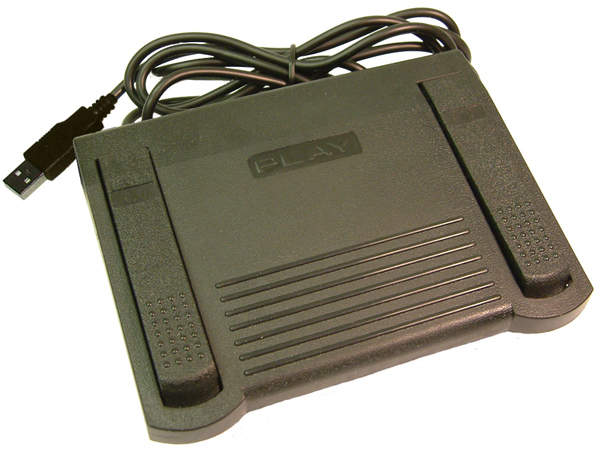 Standard audio controls for transcription include Play, Pause, (Fast) Forward and Rewind by defined amounts. Holding the Rewind and Fast-Forward buttons makes them decrement and increment faster depending on your settings. Previous and Next buttons allow you to go to the previous and next recordings respectively, which is useful where a long session has been captured over a number of recordings. There are also volume & playback speed controls. The Play/Pause, Forward & Rewind buttons can be controlled with the optional DS-FPS3 or DS-FPU3 foot-pedals.
The transcription window has a spell checker and 12 user defined function keys can be used to enter repetitive material such as names, places and recurring events. The recorded time & date and the current time & date are also available.
D:Scribe Server contains auto-archive and auto-delete facilities so that you can define how long recorded audio files & scripts are stored on the server, e.g. files can be automatically removed after 30 days, eliminating an administration task.
Quick & Simple Searching For Audio or Text From Your Desktop
 The D:Scribe Client allows you to search for recorded audio by recorded Net-Log, recorded channel (which could be a particular microphone in a court, a channel on a recorded radio frequency, or a particular meeting room) or by recorded time and date. Once you find the audio that you wish to transcribe, you can take “ownership” of it (which will notify other Clients that you are working on it, if they try and transcribe it). You can then use either the software controls, or the optional foot-pedal, to begin transcription, in a dedicated text window. Once transcription is finished, the text is available and is linked to the audio file. It can then easily be referenced, emailed or exported. You can globally search transcriptions for text, refining the audio files that you search, by Net-Log, recording day, channel, time and date, or script status (new, audio only, text only, audio & text, or open).
Technical Specification For D:Scribe |
|||||
Minimum System Requirements |
|||||
| D:Scribe Server: | Pentium 3 800MHz, 512Mb RAM. Disk space required depends on how long archived audio is kept (and bitrates used) MS Windows Server 2000/2003/2008™ MS SQL 2000/2003/2008™ |
||||
| D:Scribe Client: | Pentium 3 800MHz, 256Mb RAM Windows XP/Vista |
||||
Equipment Type D:Scribe Client & Server |
|||||
| DS-SVR: | D:Scribe Server licence (note this needs MS SQL 2000™ to operate) | ||||
| DS-CL01: | D:Scribe Client licence - 1 client licence | ||||
| DS-CL05: | D:Scribe Client licence - 5 client licence | ||||
| DS-CL10: | D:Scribe Client licence - 10 client licence | ||||
| DS-CL25: | D:Scribe Client licence - 25 client licence | ||||
| DS-FPS3: | D:Scribe foot-pedal, 3 pedal version with 9 pin serial connector | ||||
| DS-FPU3: | D:Scribe foot-pedal, 3 pedal version with USB connector | ||||
Licencing and Dongles |
|||||
| D:Scribe uses USB dongles to unlock the full features and functionality of the software. The software can be used for demonstration and evaluation purposes without a dongle, but with limited functionality. When using D:Scribe software without a dongle, a screen reminding you of the limited functionality will be shown periodically. | |||||
 Please note all versions of the D-scribe software have known issues under all versions of Windows 7 and installation is not supported on this platform. Please note all versions of the D-scribe software have known issues under all versions of Windows 7 and installation is not supported on this platform. |
|||||