|
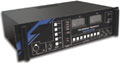
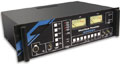
Talkback refers to the standard method of communication between broadcast studios. Each studio has either a desktop, a rack-mount, or mixer-mounted intercom, usually containing a row of switch buttons. Each switch button connects to another studio when pressed, and routes the presenter audio to it.
There are 4 products in the Sonifex Talkback Intercom range :
- TB-6D - 6 Way Talkback Intercom, desktop free standing
- TB-6R - 6 Way Talkback Intercom, 19" rack mounted
- TB-SD - Station Master Talkback Intercom, desktop free standing
- TB-SR - Station Master Talkback Intercom, 19" rack mounted
The TB-6D and TB-6R are general talkback interfaces which can be connected together to form a talkback system. The TB-SD and TB-SR are talkback units which only operate when connected to the Sonifex Station Master studio switcher.
|
|
|
|
Features
- Provide talkback for up to
- 7 locations (TB-6D & TB-6R) or
- 5 locations (TB-SD & TB-SR).
- Brightly lit push-to-talk buttons.
- Momentary or latched buttons.
- Built-in electret microphone, with input for external microphone.
- Monitoring of 2 external inputs, e.g. for off-air receiver.
- Auto-muting, or mixing, of external inputs, when talkback is active.
- Integrates with Sonifex S2 mixer and is compatible with other talkback systems.
TB-6D & TB-6R 6 Way Talkback Intercoms
The TB-6D and TB-6R are used for general talkback between studios and use DC signalling, also known as ground lifting or ground signalling, to communicate with each other. These units can be installed in various locations throughout a studio complex and linked to one another, with each unit being able to talkback to up to 6 others connected together. Most other talkback systems in general operation also use DC signalling, so you should be able to add these units into an existing installation.
Desktop Or Rackmount
The TB-6D and TB-6R are identical in operation, with the TB-6D used for desktop operation and the TB-6R available as a 2U rack-mount, for use for example, in a central apparatus room or central technical area.
Talkback For Up To 7 locations
Up to 7 locations or studios can communicate with each other. On each panel, there are 6 front panel buttons for talkback selection and 2 for external inputs. When a button is pressed, the button lights up and the talkback is active to that location.
Press & Release, Press & Hold Operation
The buttons work with both a momentary and latched operation. If you simply press the button, talkback will be on and can be cancelled by pressing the button again. If you press and hold the button, the selection is cancelled when released. So, if you wanted to listen to an external input, such as the radio station feed, or off-air monitor, you could simply press the EXT 1 button. If you receive talkback from another studio when the external input buttons are also pressed, the external inputs can be either muted or mixed, depending on the setting of an internal jumper.
The talkback outputs and input are balanced signals on a 15-way male 'D' type plug and the talkback input can be adjusted from -28dB to 9dB using a rear panel preset pot.
Onboard Electret Mic or External Mic
You can speak to the separate locations using the onboard front-panel electret mic or there is a separate external mic input on a 3 pin XLR female connector, into which you can plug a suitable gooseneck microphone.
There is a rear panel switch to select between the electret and separate input mic. The mic input gain range is adjustable via a rear panel preset pot between 74dB and 53dB.
Monitoring External Inputs
The unit can monitor two external sources. The EXT 1 input is a balanced stereo input on a rear panel 9 pin D-type socket. The EXT 2 input is an unbalanced stereo input on the 9 pin D-type socket as well as dual phono sockets. EXT 1 is useful for monitoring a distributed signal, such as a radio tuner off-air feed, or an outside source routed from an ISDN codec. EXT 2 is useful for monitoring a local source, such as a portable minidisc/flashcard recorder/player, or the unbalanced soundcard output from a PC editing/playback package.
If you already use a mixer which has a talkback input and output, or continuous talkback output, or just a line level output which you want to use, by changing internal jumpers the intercom can be configured to use these connections instead of the on-board microphone and speaker/headphones. For example, if you have a mic channel on a mixer assigned to talkback and the presenter is using headphones for monitoring the mixer talkback, the Talkback Intercom can be used purely for talkback switching and for monitoring external inputs.
Built-in Loudspeaker & Headphones
For monitoring, you can use either the built-in 1W loudspeaker, or headphones on 6.35mm unbalanced stereo jack. The headphones provide 150mW into 32-600O headphones. When the headphones are used, the speaker is automatically muted. Additionally, the monitor speaker can be muted via a remote contact on the 9 pin D-type External Input connector, for example, when used in an area with live microphones. Both monitor and headphone levels are fully adjustable between -60dB and 9dB using the front panel volume control.
Radio Studio Application Using TB-6D & TB-6R
A typical application would be to distribute talkback and audio feeds around a radio or TV studio complex, as in this diagram.
The TB-6D and TB-6R units are daisy-chained together from location to location and the radio station output from an off-air receiver is distributed on input EXT 1 of each unit. The EXT 2 input could be used in the news or sales area for monitoring local sources such as a PC audio output. Linking the studios in this way allows all locations to talk to each other together with the ability to
monitor 2 external feeds, with independent control of monitor muting and headphone/speaker levels.
|

TB-6D Front

TB-6D Rear

TB-6R Front

TB-6R Rear
|
 |
|
TB-SD & TB-SR - Station Master Talkback Intercom Overview
These units are used for interfacing with the Sonifex Station Master studio switcher and are similar to the 6 way talkback intercoms, except that the talkback routing and switching (DC signalling) is handled by the Station Master.
Talkback For Up To 5 Locations
All of the features regarding level control, use of the microphone, speaker, headphones, volume control and external inputs are the same as for the TB-6D and TB-6R intercoms. However, the TB-SD and TB-SR can be used to communicate with up to 4 other locations (including the Station Master), or all
of the locations by pressing the "ALL" button.
Whereas the TB-6D and TB-6R have talkback outputs and input on a 15-way male 'D' type plug, the TB-SD and TB-SR have instead a remotes socket consisting of a 25-way female 'D' type. This contains switch and indicator controls for the 4 talkback buttons together with power and talkback input/output/control lines to and from
the Station Master.
Radio Studio Application Using TB-SD & TB-SR
Using the Station Master as the core of a complete studio air-switching, distribution and talkback system, up to 4 studios can be connected using the TB-SD and TB-SR. A typical application would be to distribute talkback and audio feeds around a small radio station, as in this diagram.
The TB-SD and TB-SR intercoms are connected to the Station Master in a star pattern, with the Station Master as the central hub and unbalanced point-to-point links from it to each location. This setup could also be used for controlling on-air switching and for distribution of the external inputs to the other locations.
|

TB-SD Front

TB-SD Rear

TB-SR Front

TB-SR Rear
|
|
Sonifex S2 Mixer Meterbridge Talkback Panels
If you are using, or considering using, the Sonifex S2 digital I/O analogue mixer, there are 2 meterbridge panels for it which you can use to interface the mixer talkback with the Talkback Intercom range.
The S2-MTB6 meterbridge 6 way talkback panel has 6 illuminated buttons for communicating with up to 6 other locations, which work with both a momentary and latched operation.
The S2-MTBS meterbridge Station Master talkback panel has illuminated buttons for talkback, offer and accept air-switching and profanity delay control.
|

S2-MTB6 Meterbridge 6 Way Talkback Panel
|

S2-MTBS Meterbridge Station Master
Talkback Panel
|
|
|
Sonifex Station Master - All in one, multi-studio switching, distribution & talkback equipment
|
|
Station Master is part of the Sonifex range of professional audio products designed for building radio stations on a budget. It combines into a single package all the equipment required for audio distribution, studio switching, talkback and monitoring for up to 4 studios.
Studio Switching
Station Master accepts stereo audio feeds from up to 4 studios, switching them individually to transmission using Offer and Accept operation. The output of the current on-air studio is distributed to the other studios via a dedicated bus, avoiding the need for multiple studio distribution links.
The output of the Station Master is provided as a stereo pair and as a mono feed of the stereo source. The studio switching is achieved using latching relays which retain their switch status if a power failure occurs.
|
|
|
|
Delay Control
A profanity delay can be controlled by the Station Master allowing you to install just one delay unit that can be shared by your studios and used by the studio currently on-air.
Monitoring
The Station Master is fitted with a pair of true PPM meters, or VU meters, for monitoring up to 8 stereo sources. These sources consist of the connected studios and four external sources such as news feeds or off air receivers.
The audio can be monitored via headphones, or output to a power amplifer, or via the internal amplifier, capable of driving 10W into 8ohm speakers. There are also two 1/4" jack insert points on the front panel for using the Station Master to monitor from a jack-field.
Audio Distribution
Station Master distributes up to 4 incoming stereo signals to each of the connected studios without the need for external distribution amplifiers. These signals, such as off-air receivers, news feeds and outside broadcasts, can be professional balanced inputs or at domestic unbalanced line levels. The gain of the incoming stereo signals can be adjusted from the front panel. Distribution gain is controlled by a preset potentiometer.
Talkback
The Station Master's talkback system acts as the master station for talkback with 4 satellite systems. These can either be the connected studios or other locations such as a record library or engineering workshop. Individual satellites can talk to each other or broadcast to all stations.
Logging
To allow for logging of broadcasts the Station Master has a stereo balanced output for professional logging equipment, together with 3 sets of phono unbalanced outputs for connection to domestic VCR equipment.
Power Failure
In the event of a power failure to the Station Master, it will continue to route the current on-air studio to the stereo transmission output. Also, when power is re-applied, all switching, including the Offer and Accept switching, will re-initialise to the configuration when power was lost. This means that your on-air studio can continue transmitting, even if power to the Station Master has failed.
Offer and Accept Switching - How It Works
When a studio is on-air, it has accepted the request to transmit and the Accept lamp is illuminated. When a studio reaches the end of its broadcast, the presenter presses the Offer button and the Offers buttons in all connected studios will illuminate to indicate that the transmission is ready to be passed to another studio.
To Accept the offer, a studio must bring up the 'Last Studio to Offer' on the mixer and press the Accept button. The transmission path is then immediately taken from the accepting studio and its Accept lamp is illuminated. All the Offer lamps in other studios are simultaneously extinguished. Station Master's front panel shows the status of studios with a LED indication.
Talkback Connections
Talkback switches must be connected to each studio. Station Master has a set of switches for communication with these studios, together with a talkback level control for altering the level of talkback received from other studios to the in-built speaker. A microphone can be plugged directly into the front of the Station Master for sending talkback to other studios, the level of which may be adjusted via the mic level potentiometer. Talkback is operated by pressing and holding down the button for the chosen studio.
|

Station Master Rear
|
|

Station Master System Block Diagram |
| Talkback Intercoms Technical Specification |
Audio & Power Specifications |
| Talkback Input/Outputs | 15-way male 'D' type plug (TB-6D & TB-6R) for 6 balanced talkback outputs and 1 balanced talkback input |
| Talkback Input Gain Range | 9dB to -28dB adjusted by rear panel preset pot |
| External Inputs & Mute | 9-way female 'D' type socket, for stereo balanced external input 1, stereo unbalanced external input 2 (or external talkback input/output), talkback control output and mute input |
| External Input 2 | Dual phono socket, stereo unbalanced in parallel with the 9-way female 'D' type socket |
| External Input Impedance | >30kohm unbalanced >40kohm balanced |
| External Talkback Input Impedance | >30kohms unbalanced |
| External Talkback Output Impedance | <80ohms unbalanced |
| External Microphone Input | 3 pin female XLR socket |
| Mic Input Impedance | 1.5kohm balanced |
| Microphone Input Gain Range | 74dB to 53dB adjusted by rear panel preset pot |
| Headphone Output | 6.35mm jack, unbalanced stereo capable of driving 150mW into 32-600ohm headphones |
| Headphone Output Gain Range | 9dB to <-60dB (off) adjusted by front panel pot |
| Station Master Remotes | 25-way female 'D' type socket (TB-SD & TB-SR) |
| Loudspeaker Power | 1W |
| Mains Input Power | 85V - 264V AC, 47-63Hz, max 10W |
| Fuse Holder | 1A anti-surge fuse |
Physical Specifications |
| Order Code | Description | Height | Width | Depth | Nett Weight | Gross Weight |
| TB-6D | 6 Way Talkback intercom, desk units | 6.1cm | 22.0cm | 17.0cm | 1.25kg | 2.0kg |
| TB-SD | Station Master Talkback intercom, desk units | | | | | |
| TB-6R | 6 Way Talkback intercom, 19" rack mounted | 8.9cm | 48.3cm | 18.5cm | 2.6kg | 4.0kg |
| TB-SR | Station Master Talkback intercom, 19" rack mounted | (2U) | (19" rack) | | | |
| Station Master Technical Specification |
Inputs / Outputs |
Transmission Outputs | Balanced feed-through of transmission inputs via relay contacts |
Mono Output | <75ohms electronically balanced |
Stereo Line Inputs | >20kohms electronically balanced |
Stereo Line Outputs | <75ohms electronically balanced |
Professional Logging Outputs | <75ohms electronically balanced |
Domestic Logging Outputs | <75ohms unbalanced |
Domestic Monitor Outputs | <75ohms unbalanced |
Monitor Speaker Outputs | 10W into 8ohms |
Monitor Insert Input | >20kohms electronically balanced |
Headphone Output | Drives 600ohms stereo headphones |
Talkback Mic Input | >1.5kohms electronically balanced |
Talkback Line Inputs | >10kohms unbalanced |
Switch Inputs | Momentary closure to common |
Lamp Outputs | Open Collector reference to common. Voltage for lamps is supplied |
Frequency Response |
Mic Input | 40Hz to 20kHz at -1dB, +0dB |
Line Input | 20Hz to 20kHz at -0.5dB, +0dB |
Noise (20Hz to 20kHz) |
Mic Input E.I.N. | -128dB with 200ohm source |
Stereo Line Inputs | -96dB (ref. +8dB) |
Connections |
Transmission Outputs | XLR 3 pin male (Balanced) |
Mono Output | XLR 3 pin male (Balanced) |
Stereo Line External Inputs | 25 pin D-Type plug male |
Studio Line Inputs/Outputs | 25 pin D-Type plug male |
Studio Talkback & Controls | 25 pin D-Type socket female |
Talkback Mic Input | XLR 3 pin female (Balanced) |
Professional Logging Outputs | XLR 3 pin male (Balanced) |
Domestic Logging Outputs | Phono sockets (Unbalanced) |
Domestic Monitor Output | Phono sockets (Unbalanced) |
Monitor Speaker Outputs | Quick connect spring loaded lever terminals |
Headphones | 1/4" Stereo jack socket |
Monitor Insert | 1/4" Stereo jack sockets |
Physical Specification |
Dimensions | 13.5cm (3U) (H) x 48.3cm (19" Rack fitting) (W) x 30cm (D) |
Weight | 12.0kg (Shipping Weight: 15kg) |
Equipment Type |
Order Code
| Description
|
SM24-PPM or SM24-VU
| Station Master with switching and talkback for 2 studios (PPM meters, or VU meters)
|
SM44-PPM or SM44-VU
| Station Master with switching and talkback for 4 studios (PPM meters, or VU meters)
|
SM2
| Add-on cards to upgrade from a SM24 to SM44
|
Pricing
Please contact your local distributor for latest pricing information.
For UK customers, and customers in areas where we do not have a distributor, please contact the sales department on +44 1933 650 700 or email sales@sonifex.co.uk.
|
|