You are at : Sonifex Ltd > Product Catalogue > Net-Log
Cards Accepted
 
Sonifex Net-Log, The Network Audio Logger
The Sonifex Net-Log
The Net-Log is a new way to record and play audio. The Net-Log overcomes the inherent unreliability of PCs for long-term recording by providing a dedicated hardware recording platform that uses a simple network connection for audio playback. Playback software on a network connected PC streams the audio to the desktop where it can be archived as a file, or played out delayed.

If you would like a demonstration of the machine, please contact either Sonifex or your nearest distributor.

Summary
The Sonifex Net-Log is a 4 channel audio logger which can record weeks of programming on a large internal hard-disk. The unit was designed as dedicated hardware for reliability reasons, i.e. there’s no PC motherboard in this machine. Although PC based systems are great for playback, they generally aren’t robust enough for continuous recording 24/7/365.

    The Net-Log was designed from the ground up to offer :
  • High reliability for continuous operation.
  • High quality audio (mpeg compressed).
  • Compatibility with existing broadcast & Windows based systems (bwf files can be saved).
  • Automatic operation with very simple to use software.

There are many applications for Net-Log, from radio stations recording their broadcasts for regulatory purposes, to small call centres, law firms and security companies using them for monitoring. Net- Logs have been installed in court rooms & police interview rooms for audio surveillance and, when combined with the D:Scribe transcription system, offer a cost saving desk-top based logging & filing system for audio & transcripts.

All audio created by Net-Log is Windows Media PlayerTM compatible so files can be emailed to colleagues and customers and played out on any PC with asound system.

Radio Broadcast Logging
Where logging is required by the authorities, Net-Log provides a perfect, simple to use, elegant solution providing playback of requested recordings within seconds. But even if logging isn’t regulatory, Net-Log can still deliver audio to the desktop of anyone at a radio station – you don’t need to go to the racks-room, or central technical area to play out a recording previously made.

    So it has the following advantages :
  • From their desktop, the sales team can check to make sure that advertising was played on time and can create audio files to email to customers.
  • Program controllers can snoop on their presenters, checking performance and checking that scheduled music was played.
  • Station managers can check up on their competition and compare it with thesound of their own station.
  • The production team have much easier access to recorded audio from past radio shows for the preparation of future stings & trailers.

Net-Log records in mpeg layer 2, the standard for radio broadcasting, so that you can be sure that audio files created using Net-Log are compatible with almost every mpeg based automation system available. Additionally .broadcast wave format (bwf) files are supported as standard, ensuring tight integration with your playout systems.

Key Features of Net-Log
  • Dedicated reliable multi-channel recording hardware.
  • Easy to use Windows™ remote operation for playback, archiving, streaming and configuration.
  • Independently configurable channel pairs to record at different sample rates, different bit rates and in mono or stereo.
  • Recording duration configuration of the channels to suit your needs, e.g. 2 channels of low quality logging for 6 months together with two channels ofhigh quality logging for 1 week, on one machine.
  • Record inputs can be controlled remotely, e.g. snoop recording from miclive output of a mixer.
  • Automated voice recording - each channel can start and stop recording automatically by setting audio threshold levels, which means that it can be used for voice controlled systems and telephony recording.
  • Up to 250,000 recordings per channel can be made.
  • Each Net-Log has its own IP address, so a number of machines can be installed on the same network.
  • Fail-safe alarm indicators and remotes.
  • Password protection and security access rights to system.
  • Support for hard disk sizes up to 2048GB.
  • Recordings can be made using optional G.729 algorithm, allowing longer recordings and lower network traffic.
    G.729 audio quality is comparable to MPEG L2 at 32kbits/sec when used to record/playback speech.
  • Recording on Net-Log can be controlled serially by AMX, Crestron and Televic board room controllers.

Hardware Description
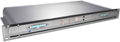
Net-Log is a 1U rack-mount unit which has 4 mono record inputs on 3 pin XLR sockets with potentiometer gain controls and LED level indicators for each input. These accept 2 stereo, or 4 mono audio streams which are encoded in mpeg layer 2 format and written to a large internal IDE hard disk drive. The size of the drive is continuously being increased as technology improves and Net-Log can support sizes up to 2048GB.

Net-Log has 2 serial ports on 9 pin D-types which are used to program the IP address of the machine and to upload new software. Additionally, there is a 15 pin D-type connector used for remote input recording control and for alarm outputs (hard disk failure and archiving warning).

A 10Mbps RJ45 network port is used to connect Net-Log to your PC network and audio is streamed using TCP/IP. Audio can be streamed simultaneously to one, or many, PCs, as well as simultaneously archiving audio data to an IP server automatically in the background. All the Net-Log configurations and operational features are controlled from a connected PC using the Net-Log-Win software.

Net-Log-Win Software & Licensing
The Net-Log is initially configured and controlled by Net-Log-Win software which is a suite of three applications which run under MS Windows 98/ME/NT/2000/XP™. The software is sold either as a two stream, or a five stream licence. This means that each Net-Log on a network can simultaneously support either 2, or 5 simultaneous connections to it for playback or archiving. Note that you don’t need to buy a licence for each Net-Log if they are on the same network - if you have a number of Net-Logs on a single network, you only need to purchase a single set of licences, e.g. if you have 3 Net-Logs and buy a single Net-Log-Win05 5 stream licence, up to 5 different people can stream from each of the 3 Net-Logs, i.e. 15 separate streams, provided that your network infrastructure can allow for this.

Additionally, this is a buy once licence - we don’t ask you to re-buy it each year ! Net-Log licensing operates by you providing us with a licence code which appears in a licence window within Net-Log-Win. Once we’ve verified the authenticity of your order, we send you an authentication code which you enter into the licence window to licence your Net-Log. If you don’t have a licence code, the Net-Log will continue recording but access to the recordings will be denied after 3 days.

Net-Log-Win Software

    There are 3 PC applications used to configure and control the Net-Log :
  • Net-Log-Win - This is the application used on a day to day basis to control recording and playback.
  • Auto-Archive - This is used to automatically archive/backup files to an IP server.
  • Net-Util - A utility mainly used to initially configure the Net-Log and solve connection problems.
Net-Log-Win Application
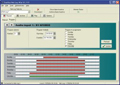
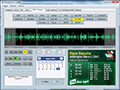
There are 4 main screens in Net-Log-Win which control and configure the connected Net-Log(s) : Recording, Playback, Archiving and Options. Access to these screens can be password protected and users can be configured either to View or Edit each screen. In the top part of the screen, a drop down list allows you to select which Net-Log you wish to connect to and the alarm states are also shown.

The Options screen is the place where you configure the settings of the connected Net-Log. The Options Archive screen in Net-Log-Win is used to configure the IP addressand directory of the archiving destination and also to define archives to be written either as the cuts were recorded, or in files of a certain duration, e.g. hourly.

Recording
Unlike normal hard-disk recording systems which stop when the disk is full, on reaching the "end" of the recording data space Net- Log begins to overwrite the oldest recordings, meaning that you always have access to the last recordings made, up to the size of the hard-disk. Additionally, it allows simultaneous recording and playback, so that you don’t have to stop the unit recording in order to search and play.
Each channel can be given a service name for reference when searching for audio.

    Recording can be controlled in 5 different ways :
  • Using on-screen buttons in the Manual Record screen.
  • Using the Program Record screen to start & stop recording at different times, using up to 20 programs. Programs can be saved to disk.
  • Using a remote input on the 15 way D-type connector.
  • Automatically on voice/sound level, ideal for recording telephone conversations, configured in the Options Record screen.
  • By AMX, Crestron and Televic board room controllers, via an RS232 serial connection.
    The controllers are mainly used in meeting rooms and allowing Net-Log to more easily be used for recording in this environment.

Crestron Integrated Partner Download the Sonifex Net-Log Demo Program and Help Files by Crestron

In the event of needing to record directly from the Net-Log, there is an emergency Record Control on the front panel of the machine.

Manual Record Screen

Program Record Screen

Options Record Screen

Playback
Net-Log-Win software for MS-Windows™ 98/ME/NT/2000/XP is used to listen to audio recorded at a previous time and date, or for copying audio to a file, e.g. to email to a client or colleague.

In the Play screens, simply select a Net-Log and the required channel service name and a list of all the recordings made are displayed, sorted by recorded date and time.

    There are 4 ways to play audio :
  • Using the Play Stream screen, selected audio is played out on your PC sound system within seconds.
  • Using the Play Download screen, you can select a recording's date, time and duration and a file is downloaded from the Net-Log and created on your local PC. You can then use separate applications to email the audio file, edit it, or save it to CD, or DVD. Files can be saved as .mp2, .mp3 or linear .wav.
  • Using the Play Program screen, you can select a number of recordings, made at the same time over a number of days of the week and save them off to a single directory, e.g. for storing commercials from a particular customer. Files can be saved as .mp2, .mp3 or linear .wav.
  • Using the Play File screen, you can open any previously saved audio file for playback. You can also play .mp3 and linear .wav files this way.

Additionally, a separate free player is available within Net-Log-Win to play any audio file created from a Net-Log.

Archiving
You can use the Archiving function to automatically create long-term backups of the recordings by streaming audio to a separate server disk for archival purposes.

For each recorded channel, you can define an IP address and directory to save files to and Net-Log can create files on that directory either in the same way that they are recorded, or in files of a certain length, e.g. of 1 hour duration.

The Net-Log Auto-Archive utility is run on the server that you are archiving to.

    It has the following features :
  • Simultaneous connection to multiple Net-Logs.
  • Automatic log-in, archive and log-out process.
  • Status display of Net-Logs on-screen in an easy to understand format.
  • Status reports, error reports and archive alarm information can be emailed automatically at regular intervals.
  • Can be used to check the status of Net-Logs even when archiving is not used or required.

Note that Archiving uses a licence stream.

Net-Util Application
The Net-Util program connects to a Net-Log unit via a serial (COM) port using the supplied serial cable.

    Net-Util is used to :
  • Define the IP address of the connected Net-Log.
  • Upload network settings.
  • Monitor status messages.
  • Upload new firmware into the Net-Log.

New
When downloading audio from Net-Log you can now download in .mp3 and linear formats, as well as the native .mp2. Audio data is converted on-the-fly as you download.
Play Stream Screen
Play Stream Screen

Play Download Screen

Play File Screen
Play File Screen

Play Program Screen
Play Program Screen

Technical Specification
  Physical Specification
External Dimensions
1U 19" rack x 220mm deep

Net-Log Front

Net-Log Rear

Weight
Nett: 2.5kg Gross: 3.5kg
  Audio Specification
Input Impedance
> 10k ohms balanced
Input Gain Range
-6dBu to +20dBu ref full scale digits
Maximum Input Level
+20dB
Distortion
<0.1% at 1kHz + 16dBu
Signal to Noise Ratio
90 dB RMS A wtd. 22kHz bandwidth
Wow and Flutter
Unmeasurable
Phase Error at 10kHz
Unmeasurable
  Rear Panel Connections, Controls & Indicators
Analogue Inputs (4)
XLR 3 pin socket
Input Level Controls (4)
Rotary pre-set potentiometers
Network
RJ45 and BNC 10Mbps ethernet
Network Status LEDs
Rx, Tx, link and collision
RS232 (2)
9 way D-type plug
Alarm Outputs and Remote Inputs
15 way D-type plug
Power
IEC Power plug, 95-265 VAC, 47-63Hz
  Front Panel Controls & Indicators
Controls
Record control to instantly start
Alarm Indicators (2)
Disk drive alarm, archive alarm
Level Indicators (4)
Analogue input level for each channel
  Additional Information
Sample Rates
16kHz, 22.05kHz, 24kHz, 32kHz, 44.1kHz and 48kHz
Audio Format
MPEG Layer 2
Recording Types
Mono, dual mono, stereo
Hard Disk Capacity
A minimum hard-disk size of 300GB is fitted. Due to the rapidly changing nature of disk capacities, the hard-disk size installed may be larger than this.
PC Soundcard Needed
Any MS-WindowsTM compatible soundcard that can play PCM (.wav) audio files
  Equipment Type
Net-Log-01
Net-Log 4 channel audio logger
Net-Log-Win01
Net-Log Win MS-Windows 98/NT/ME/2000/XP software - two stream licence
Net-Log-Win05
Net-Log Win MS-Windows 98/NT/ME/2000/XP software - five stream licence

Recording Capacity
The table below shows the approximate record capacity at different bit-rates for one mono channel on a 200GB hard disk. For 4 mono channels, divide the figures by four.
MPEG Data Rate
Duration
(kbit/sec)
Days
Hours
2427 
** 12  1618 
16  1214  15 
24  809 
32  607  19 
40  485  10 
48  405  13 
56  347  18 
64  303 
80  243  17 
96  202 
112  173 
128  152  16 
* 144  135  20 
160  121 
192  101 
* 224  87  16 
* 256  76  20 
* 320  61  16 
* 384  51  13 
Note : Each pair of channels can be given a different bit-rate.

* These Bit-Rates Are For Stereo Channels Only
** G.729 Bit-Rate.

Pricing
Please contact your local distributor for latest pricing information.

For UK customers, and customers in areas where we do not have a distributor, please contact the sales department on +44 1933 650 700 or email sales@sonifex.co.uk.


Sonifex Ltd. 61 Station Road, Irthlingborough, Northants, NN9 5QE, UK.
Tel: +44 (0)1933 650700 Fax: +44 (0)1933 650726 EMail: sales@sonifex.co.uk